YubNub Social YubNub Social
    Advanced Search
  • Login

  • Night mode
  • © 2026 YubNub Social
    About • Directory • Contact Us • Privacy Policy • Terms of Use • Android • Apple iOS • Get Our App

    Select Language

  • English
Install our *FREE* WEB APP! (PWA)
Night mode
Community
News Feed (Home) Popular Posts Events Blog Market Forum
Media
Headline News VidWatch Game Zone Top PodCasts
Explore
Explore Jobs Offers
© 2026 YubNub Social
  • English
About • Directory • Contact Us • Privacy Policy • Terms of Use • Android • Apple iOS • Get Our App

Discover posts

Posts

Users

Pages

Group

Blog

Market

Events

Games

Forum

Jobs

Trending Tech
Trending Tech
2 yrs

TikTok must face a lawsuit for recommending the viral ‘blackout challenge’
Favicon 
www.theverge.com

TikTok must face a lawsuit for recommending the viral ‘blackout challenge’

Illustration by Nick Barclay / The Verge TikTok must face a lawsuit over the viral “blackout challenge” that several parents blame for their children’s deaths, a Pennsylvania-based appeals court ruled on Tuesday. The ruling illuminates how courts are thinking about platform accountability in the wake of a major Supreme Court ruling this year and could highlight the potential limits of a key tech immunity shield. TikTok’s algorithmic recommendations on the For You Page (FYP) constitute the platform’s own speech, according to the Third Circuit court of appeals. That means it’s something TikTok can be held accountable for in court. Tech platforms are typically protected by a legal shield known as Section 230, which prevents them from being sued over their users’ posts, and a lower... Continue reading…
Like
Comment
Share
Trending Tech
Trending Tech
2 yrs

Apple seeds with iOS 18.1 beta 3 with Apple Intelligence improvements and more
Favicon 
bgr.com

Apple seeds with iOS 18.1 beta 3 with Apple Intelligence improvements and more

In a rare movement, Apple is simultaneously testing iOS 18 and iOS 18.1. The latter is only available for iPhone 15 Pro users and offers Apple Intelligence features. That said, the company has finally seeded iOS 18.1 beta 3 as it improves the company's AI platform. With the previous beta, Apple added the "Thanos snap feature." Actually called “Distraction Control,” it’s available in the Reader toggle in Safari and lets you hide distracting items, such as cookie pop-ups and other parts of the website. Apple says this doesn’t work as an ad blocker, but it helps hide distractful items from a page. Based on user feedback, Cupertino has also removed the Carousel from the Photos app and tweaked the “All Photos” section, with more images appearing on the photos grid. The “Recent Days” tab also includes “Recently Saved.” Besides that, iOS 18.1 beta 3 continues to improve Apple Intelligence features. These are some of the functions available with this beta: Writing Tools: Users can rewrite, proofread, and summarize text nearly everywhere they write, including Mail, Notes, Pages, and third-party apps Improved Siri: With a new design, Siri can maintain context between requests. Even if you stumble over words or shift what you’re saying mid-sentence, Siri can understand what you actually want. Priority notifications: They appear at the top of the stack, letting you know what to pay attention to at a glance. Notifications are summarized, so you can scan them faster. Priority messages in Mail: Elevate time-sensitive messages to the top of your inbox, like an invitation that has a deadline today or a check-in reminder for your flight this afternoon. Reduce interruptions: With iOS 18.1 beta 1, an all-new Focus Mode understands the content of your notifications and shows you the ones that might need immediate attention, like a text about picking up your child from daycare later today. Email summarization: Tap to reveal a summary of a long email in the Mail app and cut to the chase. Record and transcribe calls in the Notes app: Just hit record in the Notes or Phone apps to capture audio recordings and transcripts. Apple Intelligence generates summaries of your transcripts, so you can get to the most important information at a glance. Smart Reply in Mail: Quickly draft an email response with all the right details. Apple Intelligence can identify the question you were asked in an email and offer relevant selections to include in your response. BGR will let you know once we learn more about what’s new with iOS 18.1 beta 3. Alongside this version, Apple is also releasing the second beta version of iPadOS 18.1 and macOS Sequoia 15.1 to developers. Don't Miss: Apple Intelligence: AI, features, research, and supported devices The post Apple seeds with iOS 18.1 beta 3 with Apple Intelligence improvements and more appeared first on BGR. Today's Top Deals Today’s deals: $199 Apple iPad 9, $30 Crest 3D Whitestrips, $298 Sony XM5 ANC headphones, more Exclusive deal: Get GEEKOM’s ultra-fast GT13 Pro Mini PC for only $549 Today’s deals: $17 myQ, $399 Apple AirPods Max, $40 Fire TV Stick 4K Max, $180 off Sonos Arc, more Today’s deals: $20 Amazon credit, $299 Apple Watch Series 9, $20 Blink Mini cam, Beats x Kardashian, more
Like
Comment
Share
Trending Tech
Trending Tech
2 yrs

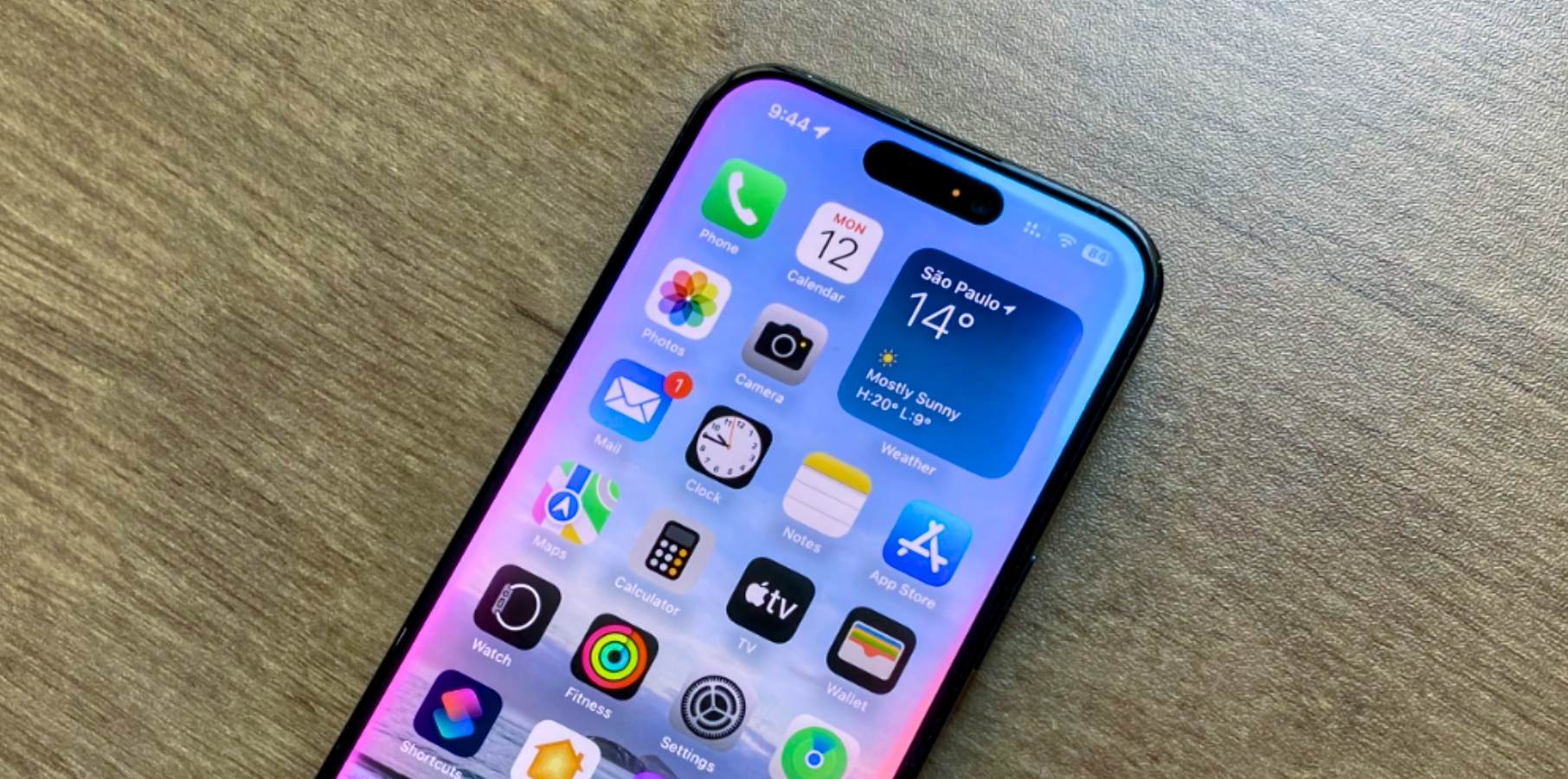
iOS 18 beta 8 now available ahead of iPhone 16 event
Favicon 
bgr.com

iOS 18 beta 8 now available ahead of iPhone 16 event

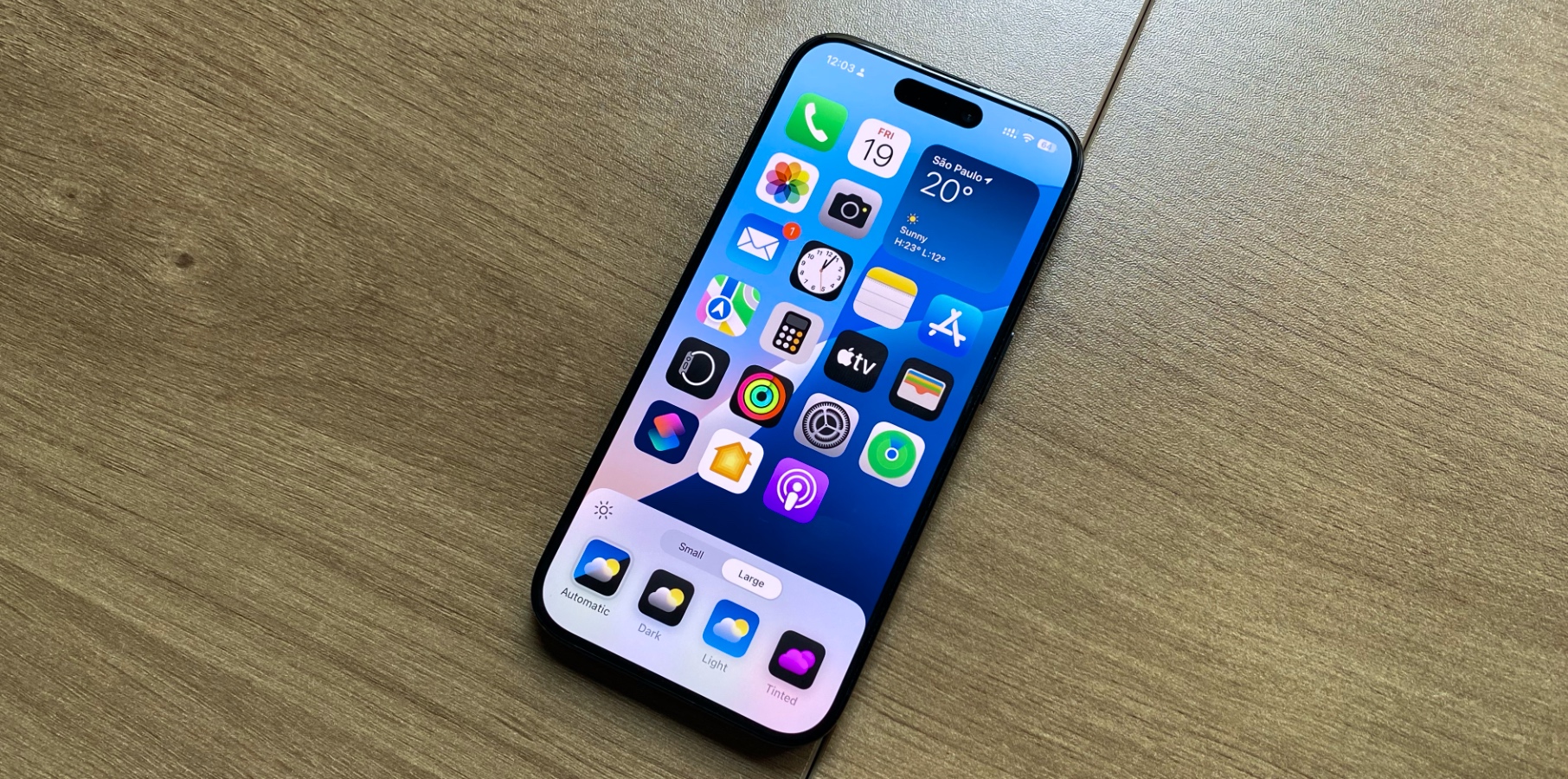
A week after seeding iOS 18 beta 7 to developers, Apple is now publishing beta 8. This is likely the last beta version of iOS 18 before its Release Candidate build, expected by the time Cupertino introduces the iPhone 16. That being said, this version likely only polishes the previous testing version, as Bloomberg's Mark Gurman noted last week that beta 7 was final for iPhone users. Unlike other years, Apple has pushed its main Apple Intelligence platform to iOS 18.1, which means the version that most people will get in a few weeks won't have one of the most-anticipated features of the year. With iOS 18 and iPadOS 18 beta 8, Apple is tweaking the Home Screen, Lock Screen, and Control Center. Now, apps can be organized in any way, which means they can be placed anywhere. App icons and widgets can take on a new look with a dark or tinted effect, and users can make apps appear larger to create the perfect experience for them. In the Lock Screen, it’s possible to choose new widgets instead of the Flashlight and Camera options. iOS 18 beta 8 keeps tweaking the Messages app with its powerful new features, including all-new text effects, personalized messages, tapbacks with any emoji, and scheduled messages. Users can also experience the new Passwords app. Built on the foundation of Keychain, the new Passwords app makes it easy for users to access their passwords, passkeys, Wi-Fi passwords, and verification codes.  Lastly, Apple has released new features that let users lock and hide apps. When an app is locked or hidden, content like messages or emails inside the app is hidden from search, notifications, and other places across the system. Users can only unlock it with Face ID and Touch ID. BGR teaches you how to hide and lock iPhone apps in iOS 18. Alongside iOS 18 beta 8, Apple is also releasing the eighth testing versions of iPadOS 18, watchOS 11, macOS Sequoia, tvOS 18, and visionOS 2. Don't Miss: iOS 18: Features, release date, beta, download, Apple Intelligence The post iOS 18 beta 8 now available ahead of iPhone 16 event appeared first on BGR. Today's Top Deals Today’s deals: $20 Amazon credit, $299 Apple Watch Series 9, $20 Blink Mini cam, Beats x Kardashian, more Today’s deals: 10% off new Sony ULT WEAR headphones, gaming laptops, Samsung OLED TVs, more Today’s deals: $17 myQ, $399 Apple AirPods Max, $40 Fire TV Stick 4K Max, $180 off Sonos Arc, more Today’s deals: Pixel 9 preorder offers, $20 waterproof speaker, $225 HP laptop, $89 Sony earbuds, more
Like
Comment
Share
Trending Tech
Trending Tech
2 yrs

iPadOS 18.1 beta 3 now available with Apple intelligence and more
Favicon 
bgr.com

iPadOS 18.1 beta 3 now available with Apple intelligence and more

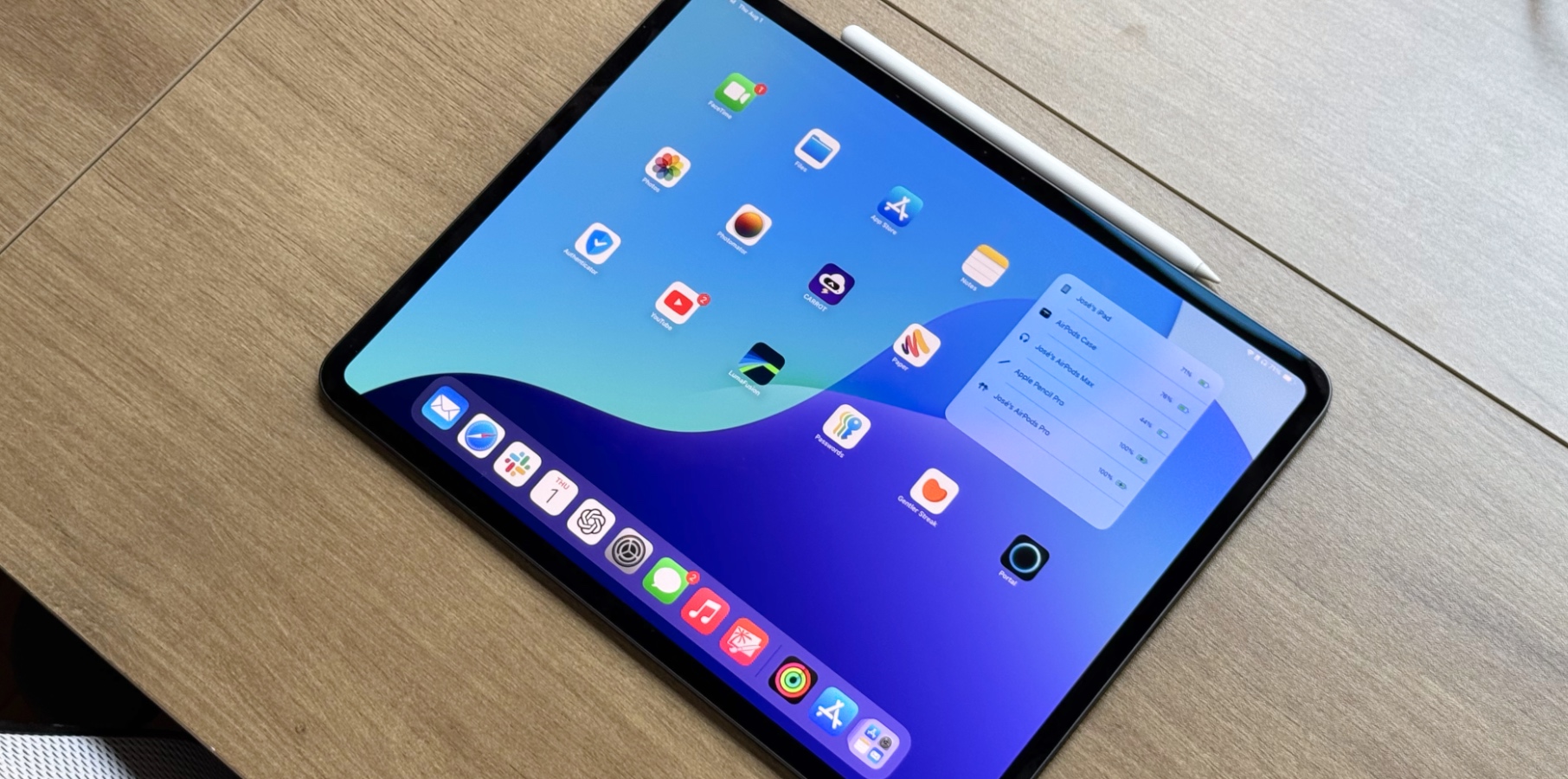
In a rare movement, Apple is simultaneously testing iOS 18 and iPadOS 18.1. The latter is only available for M1 iPad models or newer and offers Apple Intelligence features. That said, the company has finally seeded iPadOS 18.1 beta 3 with AI improvements. With the latest beta, Apple added the Thanos snap feature. Actually called “Distraction Control,” it’s available in the Reader toggle in Safari and lets you hide distracting items, such as cookie pop-ups and other parts of the website. Apple says this doesn’t work as an ad blocker, but it helps hide distractful items from a page. Based on user feedback, Cupertino has also removed the Carousel from the Photos app and tweaked the “All Photos” section, with more images appearing on the photos grid. The “Recent Days” tab also includes “Recently Saved.” Besides that, iPadOS 18.1 beta 3 continues to improve Apple Intelligence features. These are some of the functions available with this beta: Writing Tools: Users can rewrite, proofread, and summarize text nearly everywhere they write, including Mail, Notes, Pages, and third-party apps Improved Siri: With a new design, Siri can maintain context between requests. Even if you stumble over words or shift what you’re saying mid-sentence, Siri can understand what you actually want. Priority notifications: They appear at the top of the stack, letting you know what to pay attention to at a glance. Notifications are summarized, so you can scan them faster. Priority messages in Mail: Elevate time-sensitive messages to the top of your inbox, like an invitation that has a deadline today or a check-in reminder for your flight this afternoon. Reduce interruptions: With iOS 18.1 beta , an all-new Focus Mode understands the content of your notifications and shows you the ones that might need immediate attention, like a text about picking up your child from daycare later today. Email summarization: Tap to reveal a summary of a long email in the Mail app and cut to the chase. Record and transcribe calls in the Notes app: Just hit record in the Notes or Phone apps to capture audio recordings and transcripts. Apple Intelligence generates summaries of your transcripts, so you can get to the most important information at a glance. Smart Reply in Mail: Quickly draft an email response with all the right details. Apple Intelligence can identify the question you were asked in an email and offer relevant selections to include in your response. BGR will let you know once we learn more about what’s new with iPadOS 18.1 beta 3. In addition to this version, Apple is also releasing the third beta version of iOS 18.1 and macOS Sequoia 15.1 to developers. Don't Miss: iPadOS 18: Features, beta, download, Apple Intelligence, release date, and more The post iPadOS 18.1 beta 3 now available with Apple intelligence and more appeared first on BGR. Today's Top Deals Today’s deals: 10% off new Sony ULT WEAR headphones, gaming laptops, Samsung OLED TVs, more Today’s deals: $20 Amazon credit, $299 Apple Watch Series 9, $20 Blink Mini cam, Beats x Kardashian, more Exclusive deal: Get GEEKOM’s ultra-fast GT13 Pro Mini PC for only $549 Today’s deals: $17 myQ, $399 Apple AirPods Max, $40 Fire TV Stick 4K Max, $180 off Sonos Arc, more
Like
Comment
Share
Trending Tech
Trending Tech
2 yrs

Apple releases macOS 15.1 beta 3 with Apple Intelligence improvements
Favicon 
bgr.com

Apple releases macOS 15.1 beta 3 with Apple Intelligence improvements

As the testing cycle follows, Apple keeps improving Apple Intelligence with macOS 15.1 beta 3. With this new build, M1 Mac developers can experience the first days of Apple Intelligence, Apple’s artificial intelligence platform. macOS 15.1 beta 3 offers the following features so far: Writing Tools: Users can rewrite, proofread, and summarize text nearly everywhere they write, including Mail, Notes, Pages, and third-party apps Improved Siri: With a new design, Siri can maintain context between requests. Even if you stumble over words or shift what you’re saying mid-sentence, Siri can understand what you actually want. Priority notifications: They appear at the top of the stack, letting you know what to pay attention to at a glance. Notifications are summarized, so you can scan them faster. Priority messages in Mail: Elevate time-sensitive messages to the top of your inbox, like an invitation that has a deadline today or a check-in reminder for your flight this afternoon. Reduce interruptions: With macOS 15.1, an all-new Focus Mode understands the content of your notifications and shows you the ones that might need immediate attention, like a text about picking up your child from daycare later today. Email summarization: Tap to reveal a summary of a long email in the Mail app and cut to the chase. Record and transcribe calls in the Notes app: Just hit record in the Notes or Phone apps to capture audio recordings and transcripts. Apple Intelligence generates summaries of your transcripts, so you can get to the most important information at a glance. Smart Reply in Mail: Quickly draft an email response with all the right details. Apple Intelligence can identify the question you were asked in an email and offer relevant selections to include in your response. There are many other Apple Intelligence features expected during the beta test of macOS 15.1. BGR will let you know if we find anything new with this version. Alongside macOS 15.1 beta 3, Apple has also seeded the third testing versions of iOS 18.1 and iPadOS 18.1. Don't Miss: macOS Sequoia 15: Features, Apple Intelligence, download, beta, Mac compatibility The post Apple releases macOS 15.1 beta 3 with Apple Intelligence improvements appeared first on BGR. Today's Top Deals Today’s deals: $199 Apple iPad 9, $30 Crest 3D Whitestrips, $298 Sony XM5 ANC headphones, more Today’s deals: Crazy-fast mini PC for $670, $45 Ninja blender, $34 Roku Streaming Stick 4K, more Today’s deals: $199 Apple iPad, $20 Anker earbuds, $300 Samsung Galaxy phone, $30 Blink Mini 2, more Exclusive deal: Get GEEKOM’s ultra-fast GT13 Pro Mini PC for only $549
Like
Comment
Share
Trending Tech
Trending Tech
2 yrs

macOS Sequoia beta 8 now available with these 11 features
Favicon 
bgr.com

macOS Sequoia beta 8 now available with these 11 features

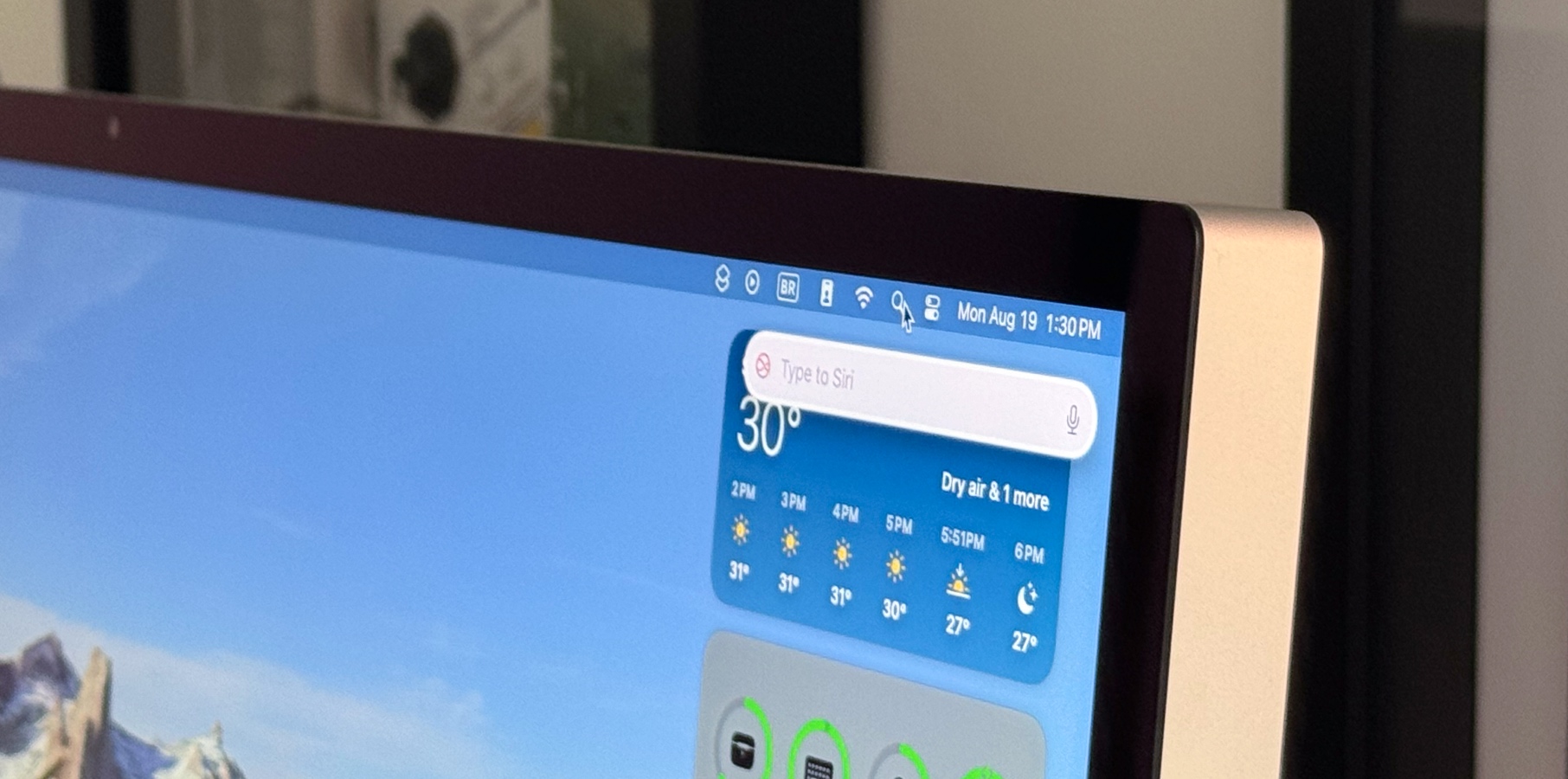
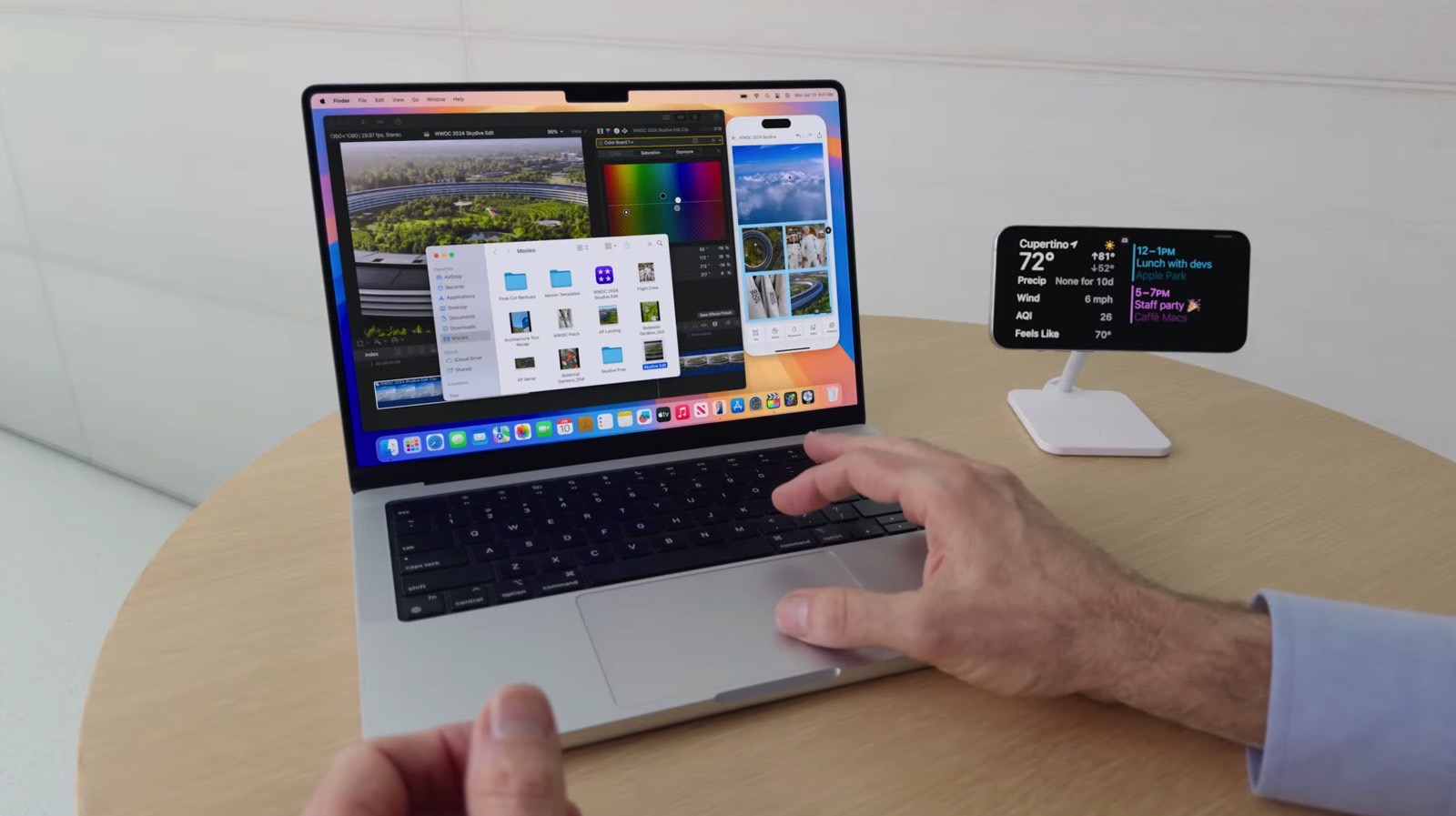
macOS Sequoia release date is just around the corner. While Apple Silicon Mac users can try Apple Intelligence with macOS 15.1, Apple is also seeding beta 8 of macOS 15 for Intel Macs (or Apple Silicon Macs if you don’t want to try AI just yet). With this testing version, Apple continues to prepare the official version of this system for later this fall. These are some of the features users can expect to have once the final build is available. For Safari, macOS Sequoia beta 8 brings the long-awaited iPhone Mirroring feature, which was unavailable with the first beta. This Continuity function allows users to fully access and engage with their iPhone right from their Mac. Apple says that a user’s custom wallpaper and icons appear just like on their iPhone, and they can swipe between pages on their Home Screen or launch and browse any of their favorite apps. The keyboard, trackpad, and mouse on Mac also let users interact with their iPhone, and audio even comes through. In addition, macOS Sequoia beta 8 brings the following features to Safari: Highlights: That’s an easier way to discover information on the web, such as directions, summaries, or quick links to learn more about people, music, movies, and TV shows; Reader: A redesigned Reader includes even more ways to enjoy articles without distractions, featuring a streamlined view of the article a user is reading, a summary, and a table of contents for longer articles; Video detection: When Safari detects a video on the page, Viewer helps users put it front and center while still giving them full access to system playback controls, including Picture in Picture. With a new Passwords app, Apple wants to make it easy for users to access their passwords, passkeys, Wi-Fi passwords, and verification codes. During the beta test, Apple also added new wallpapers for macOS. macOS Sequoia beta 8 also adds: Messages have received major updates to improve users’ expression and stay connected. These include all-new text effects, emoji and sticker Tapbacks, and the ability to schedule messages to be sent later. Apple Maps introduces even more ways to explore the world, including curated hikes and custom walking routes. Beginning this fall, users can browse thousands of hikes across all 63 national parks in the United States, filtered by length, elevation, and route type, and save them to use while offline. Photos now surface Collections, which automatically organizes a user’s library by helpful themes. The search feature has also been updated so users can get results quickly. Note-taking in Notes is getting smarter, making it easier than ever to take detailed and well-written notes. New audio transcription and summarization features with Apple Intelligence enable a device to take notes for the user, letting them stay present in a situation where they need to capture details about what’s happening. And if they need to quickly crunch a number, they can just type in an equation to have it solved automatically in their note body. Calendar shows events and tasks from Reminders, making it easy to see, edit, or complete tasks throughout the day. An updated Month View makes it easier to see events and reminders for an entire month at a glance. Wallpapers: There are new Sequoia wallpapers. Alongside macOS Sequoia beta 8, Apple released the eighth testing versions of iOS 18, iPadOS 18, tvOS 18, watchOS 11, and visionOS 2. Don't Miss: macOS Sequoia 15: Features, Apple Intelligence, download, beta, Mac compatibility The post macOS Sequoia beta 8 now available with these 11 features appeared first on BGR. Today's Top Deals Today’s deals: Pixel 9 preorder offers, $20 waterproof speaker, $225 HP laptop, $89 Sony earbuds, more Today’s deals: $199 Apple iPad, $20 Anker earbuds, $300 Samsung Galaxy phone, $30 Blink Mini 2, more Today’s deals: Crazy-fast mini PC for $670, $45 Ninja blender, $34 Roku Streaming Stick 4K, more Exclusive deal: Get GEEKOM’s ultra-fast GT13 Pro Mini PC for only $549
Like
Comment
Share
Trending Tech
Trending Tech
2 yrs

tvOS 18 beta 8 now available as official release nears
Favicon 
bgr.com

tvOS 18 beta 8 now available as official release nears

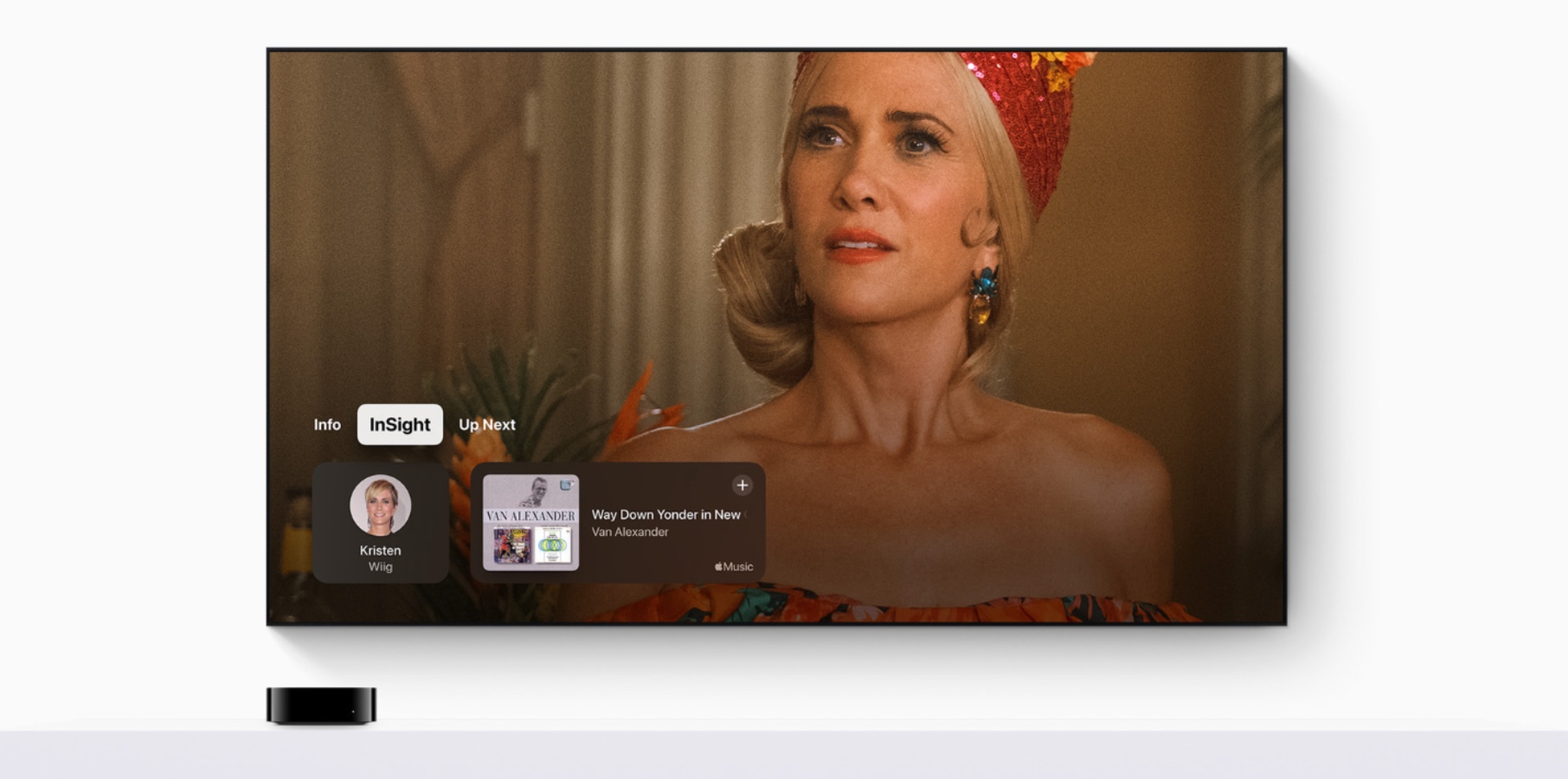
Following the beta release of Apple Intelligence for iOS, iPadOS, and macOS Sequoia, Apple keeps the regular testing cycle of tvOS 18 with beta 8. As the official release nears, we’re still expecting Cupertino to add the new TV and Movies screensavers announced during the WWDC 2024 keynote. However, there are some features tvOS 18 beta testers have been trying. Within the Apple TV app, Apple is adding three new features that will make everyday usage way better when enjoying Apple TV+ content: InSight: An Amazon Prime Video-like feature that displays timely information about actors, characters, and music from Apple TV+ movies and shows onscreen in real-time. Users can select an actor to view their background and filmography page or quickly view the song that is playing in a scene and add it to an Apple Music playlist. Enhance Dialogue: This feature is getting smarter, leveraging machine learning and computation audio to deliver greater vocal clarity over music, action, and background noise on Apple TV 4K. In addition to HomePod speakers, users can now enjoy Enhance Dialogue when listening through built-in TV or HDMI-connected speakers, AirPods, and other Bluetooth-connected devices, and when playing supported content on iPhone and iPad; Automatic subtitles: Subtitles now automatically appear at just the right moments with tvOS 18, including when the language in a show or film does not match the device language when users mute, or when they skip back while watching something. For those who prefer connecting an Apple TV 4K to a projector, tvOS 18 beta 6 brings one of its best features yet: 21:9 support for playing movies and shows. tvOS 18 also adds: Apple Fitness+: A redesigned interface helps users make the most of the library and explore the exercises they like the most; FaceTime with Continuity Camera: Apple adds Live Captions for English in the US and Canada, so users can read what others are saying on a FaceTime call from the TV tvOS 18 has even more features in store. Alongside its beta 8, Apple also seeded the eighth testing version of iOS 18, iPadOS 18, macOS Sequoia, watchOS 11, and visionOS 2. Don't Miss: tvOS 18: Release date, features, download, Apple TV compatibility, more The post tvOS 18 beta 8 now available as official release nears appeared first on BGR. Today's Top Deals Amazon gift card deals, offers & coupons 2024: Get $525+ free Today’s deals: $35 in Amazon credits, $179 Sonos soundbar, $60 Keurig coffee maker, $99 Bose speaker, more Today’s deals: $199 Apple iPad 9, $30 Crest 3D Whitestrips, $298 Sony XM5 ANC headphones, more Today’s deals: $199 Apple iPad, $20 Anker earbuds, $300 Samsung Galaxy phone, $30 Blink Mini 2, more
Like
Comment
Share
Trending Tech
Trending Tech
2 yrs

visionOS 2 beta 8 now available to Apple Vision Pro
Favicon 
bgr.com

visionOS 2 beta 8 now available to Apple Vision Pro

As we wait for Apple Vision Pro to potentially get Apple Intelligence, Apple seeds visionOS 2 beta 8 to Vision Pro users. While this update doesn’t bring many new features, it addresses several lacking functions users were waiting for in Apple Vision Pro. That said, this is what you should expect from visionOS 2 beta 8 at this moment: Spatial photos: With visionOS 2 beta, users can revisit past memories by creating spatial photos directly from their library in the Photos app.  Home View:  Users can now personalize their Home View by rearranging apps and placing them wherever they want, including their compatible iPhone and iPad apps visionOS 2 beta makes navigating Apple Vision Pro faster and easier for users to access key functions with new hand gestures to get to frequently used features like Home View and Control Center. New gestures allow users to see important information at a glance, like the current time and battery level, and perform actions like adjusting the volume. In addition, travelers can experience their favorite apps on the go with a new Travel mode for trains. visionOS 2 beta 8 also adds: Guest user: For those moments when a user wants to share their Vision Pro, a family member or colleague can be added as a Guest User and have their eye and hand data saved for 30 days. The Apple TV app brings support for multiview to Apple Vision Pro for the ultimate sports-viewing experience. Later this year, fans can watch up to five simultaneous streams to keep track of all their favorite sports and teams. To help users achieve calm and focus, the Mindfulness app includes a new capability called Follow Your Breathing that presents dynamic visual animations and sounds that respond to the user’s breathing patterns. Alongside visionOS 2 beta 8, Apple is also releasing the eighth test versions of iOS 18, iPadOS 18, watchOS 11, macOS Sequoia, and tvOS 18. Don't Miss: visionOS: Features, 2.0 beta, release date, Apple Vision Pro, more The post visionOS 2 beta 8 now available to Apple Vision Pro appeared first on BGR. Today's Top Deals Today’s deals: $20 Amazon credit, $299 Apple Watch Series 9, $20 Blink Mini cam, Beats x Kardashian, more Today’s deals: $50 off Sonos Ace, $90 Ninja Air Fryer Pro, Igloo coolers, Lenovo laptop, $18 pillows, more Today’s deals: $35 in Amazon credits, $179 Sonos soundbar, $60 Keurig coffee maker, $99 Bose speaker, more Today’s deals: Crazy-fast mini PC for $670, $45 Ninja blender, $34 Roku Streaming Stick 4K, more
Like
Comment
Share
NEWSMAX Feed
NEWSMAX Feed
2 yrs

Kamala Harris' Inaction: Neglected Responsibility in Face of Afghanistan Crisis
Favicon 
www.newsmax.com

Kamala Harris' Inaction: Neglected Responsibility in Face of Afghanistan Crisis

In August 2021, the fall of Kabul to the Taliban marked a devastating turning point for Afghanistan, with particularly grave consequences for its women.
Like
Comment
Share
NEWSMAX Feed
NEWSMAX Feed
2 yrs

Nancy Pelosi Called Trump 'Domestic Enemy'
Favicon 
www.newsmax.com

Nancy Pelosi Called Trump 'Domestic Enemy'

Former House Speaker Nancy Pelosi, D-Calif., called former President Donald Trump a "domestic enemy" the day after the Jan. 6, 2021, attack at the U.S. Capitol, according to HBO video footage.
Like
Comment
Share
Showing 14497 out of 56670
  • 14493
  • 14494
  • 14495
  • 14496
  • 14497
  • 14498
  • 14499
  • 14500
  • 14501
  • 14502
  • 14503
  • 14504
  • 14505
  • 14506
  • 14507
  • 14508
  • 14509
  • 14510
  • 14511
  • 14512

Edit Offer

Add tier


Select an image
Delete your tier
Are you sure you want to delete this tier?

Reviews

In order to sell your content and posts, start by creating a few packages. Monetization

Pay By Wallet

Payment Alert

You are about to purchase the items, do you want to proceed?

Request a Refund