YubNub Social YubNub Social
    Advanced Search
  • Login

  • Night mode
  • © 2026 YubNub Social
    About • Directory • Contact Us • Privacy Policy • Terms of Use • Android • Apple iOS • Get Our App

    Select Language

  • English
Install our *FREE* WEB APP! (PWA)
Night mode
Community
News Feed (Home) Popular Posts Events Blog Market Forum
Media
Headline News VidWatch Game Zone Top PodCasts
Explore
Explore Jobs Offers
© 2026 YubNub Social
  • English
About • Directory • Contact Us • Privacy Policy • Terms of Use • Android • Apple iOS • Get Our App

Discover posts

Posts

Users

Pages

Group

Blog

Market

Events

Games

Forum

Jobs

Trending Tech
Trending Tech
2 yrs

How to install the iOS 18 public betas
Favicon 
www.theverge.com

How to install the iOS 18 public betas

Image: Samar Haddad / The Verge People with Apple developer accounts have had all the fun with the iOS 18 betas so far, but now that the public betas are out, anyone can try the new features. Setting up the public beta is slightly less involved than setting up the developer beta but just as free. And if you’re looking for help with the iPadOS 18 beta, you’re in the right place: the setup process is the same. You should understand what you’re getting when you try a beta, though. For one, you won’t get all of the new features at once; many of them will come down the road. Also, the fun of trying features early comes with the potential thrill of stability issues and excessive battery drain. And it’s rare these days, but Apple’s betas can break things or potentially brick... Continue reading…
Like
Comment
Share
Trending Tech
Trending Tech
2 yrs

Apple releases public betas for iOS 18, macOS, and more
Favicon 
www.theverge.com

Apple releases public betas for iOS 18, macOS, and more

Illustration by Nick Barclay / The Verge You can now download the public betas for iOS 18, iPadOS 18, macOS Sequoia, and watchOS 11. Apple’s updated operating systems will eventually include Apple Intelligence AI features and a better Siri — if you have the right device, that is. For now, the betas will bring less exciting but still useful features to the various Apple devices. The public iOS 18 beta will bring with it key updates to the way the iPhone software works, including support for RCS messaging and new customization options that let users put apps wherever they want to on the homescreen (finally) or apply a tint to the icons and widgets. It also comes with a new layout for the Photos app, a redesigned, more customizable Control Center, and dark mode icons. Similar... Continue reading…
Like
Comment
Share
Trending Tech
Trending Tech
2 yrs

Apple’s public betas: all the news on iOS 18, macOS Sequoia, and more
Favicon 
www.theverge.com

Apple’s public betas: all the news on iOS 18, macOS Sequoia, and more

Illustration: The Verge Apple lets the public in on beta testing, but Apple Intelligence is likely still months away. Continue reading…
Like
Comment
Share
Trending Tech
Trending Tech
2 yrs

The watchOS 11 beta slowed me down, in a good way
Favicon 
www.theverge.com

The watchOS 11 beta slowed me down, in a good way

The Modular Ultra face now allows you to have bezels for your training load and vitals. One thing always irked me about the Apple Watch. Rain or shine, in sickness and in health, it pushed me to close my rings. Never mind if I had covid-19, shin splints, or was mentally in a dark place. It nudged me to be a “better” version of myself, so long as better didn’t involve a day off. But with watchOS 11 — the public beta of which arrives today — it feels like my Apple Watch is finally cutting me some slack. This is largely due to a trio of new features: the new Vitals app, Training Load feature, and the ability to pause your Activity Rings. I waxed lyrical about the latter right after WWDC, but after spending some time with the developer beta, I’m convinced these are the smartest fitness updates Apple’s rolled out in years. T... Continue reading…
Like
Comment
Share
Trending Tech
Trending Tech
2 yrs

This HR company tried to treat AI bots like people — it didn’t go over well
Favicon 
www.theverge.com

This HR company tried to treat AI bots like people — it didn’t go over well

Image: Lattice “Today Lattice is making AI history,” CEO Sarah Franklin wrote in a July 9th blog post. “We will be the first to give digital workers official employee records in Lattice. Digital workers will be securely onboarded, trained, and assigned goals, performance metrics, appropriate systems access, and even a manager. Just as any person would be.” On July 12th, after a very predictable backlash, Lattice posted an update saying it “will not further pursue digital workers in the product.” Here’s a sample of the responses to Lattice’s original announcement: “I have questions,” Hebba Youssef, chief people officer at Workweek, said on LinkedIn. “My biggest one: why??” “Based on my experience in and around AI and HR, it appears to me that we’ve... Continue reading…
Like
Comment
Share
Trending Tech
Trending Tech
2 yrs

iOS 18 public beta 1 now available with 8 key features
Favicon 
bgr.com

iOS 18 public beta 1 now available with 8 key features

After over a month of beta testing, Apple is finally releasing iOS 18 public beta 1 to registered users of the Apple Beta Software Program. If you want to be one of the first to try Apple's upcoming software updates before they're released to everyone later this fall, I gathered the eight best features available with iOS 18 that you will love, besides the Apple Intelligence platform. How to download iOS 18 public beta 1 First of all, you need to enroll your Apple Account (formerly Apple ID) into the Apple Beta Software Program. Once you do that, follow the steps below: On your iPhone, open the Settings app Tap on General and Software Update Tap on Beta Updates and enable iOS 18 Public Beta You should be reminded that this is still a beta version, so bugs and issues could occur. In addition, some of your favorite apps might not work as intended. If you uninstall the public beta, you can't recover your WhatsApp history chat available with iOS 18, only the latest one you saved with iOS 17, for example. So don't forget to back up everything before you try iOS 18 public beta. These are eight iOS 18 features I can't stop using, and I think you'll love them, too Starting with the basics, iOS 18 public beta 1 brings a revamped Home Screen. With that, you can place app icons and widgets whenever you like. You can also quickly transform an app into a widget by long-pressing it. This level of customization makes my Home Screen even more unique. Talking about customization, the new Control Center also makes my iPhone even more useful. With iOS 18 public beta 1, you'll be able to customize your Control Center, add more Home shortcuts, and even see some of the settings more easily. Image source: Apple Inc. I also love the Messages app's powerful new features, including all-new text effects, personalized messages, tapbacks with any emoji, and scheduled messages. In addition, Apple is adding RCS support so that you can chat with your Android friends with more features and privacy. The new Passwords app makes it easier to access your passwords, passkeys, Wi-Fi passwords, and verification codes. That said, I can't wait for Apple to add support for credit cards... With iOS 18 public beta 1, there's a pro tip you will love to know it's there: SharePlay screen sharing. With that, users can take over other people's iPhones by helping them use SharePlay screen sharing over FaceTime. I also think one of the first features you'll try with the public beta is the ability to hide and lock your apps with Face ID. When an app is locked or hidden, content like messages or emails inside the app is hidden from search, notifications, and other places across the system. This is perfect for your bank apps, contacts, and more. Since I mentioned contacts, Apple revamped the Contacts app privacy settings, and now you have more control over how much data third-party apps can access. Like with your photos, you can choose which contacts can be shared with an app. Don't Miss: iOS 18: Features, release date, beta, download, Apple Intelligence The post iOS 18 public beta 1 now available with 8 key features appeared first on BGR. Today's Top Deals Best Fire TV Stick deals for July 2024 July 4th deal roundup: $16 wireless charger, $50 Ninja blender, DJI Mini 3, KitchenAid Stand Mixers, more Best Echo Dot deals for Prime Day 2024 Best Apple deals for July 2024
Like
Comment
Share
Trending Tech
Trending Tech
2 yrs

watchOS 11 public beta 1 now available with these 4 features I use every day
Favicon 
bgr.com

watchOS 11 public beta 1 now available with these 4 features I use every day

After over a month of beta testing, Apple is finally releasing watchOS 11 public beta 1 to registered users of the Apple Beta Software Program. If you want to be one of the first to try Apple's upcoming software updates before they're released to everyone later this fall, I gathered the 4 best features available with watchOS 11 that you will love. How to download watchOS 11 public beta 1 First of all, you need to enroll your Apple Account (formerly Apple ID) into the Apple Beta Software Program. Once you do that, follow the steps below: On your iPhone, open the Settings app Tap on General and Software Update Tap on Beta Updates and enable iOS 18 Public Beta Once you download the iOS 18 public beta, you can download the watchOS 11 beta on your Watch app Please remember that this is still a beta version, so bugs and issues could occur. In addition, you can't uninstall watchOS 11, so if you have a major problem, you'll have to wait for a new version to fix it. In addition, you must be on iOS 18 to use watchOS 11. watchOS 11 best features With watchOS 11 public beta, Apple finally lets users customize their Activity Rings. Thanks to this change, the Activity Rings will understand planned rest days, injuries, or days off without affecting the award streak. It’s also possible to customize Activity Ring goals by the day of the week, so your leg workout might differ from the one you go for an outdoor run. Additionally, the Fitness app allows users to customize the Summary tab to show exactly the metrics they want to see, including their friends’. The new Vitals app coming to watchOS 11. watchOS 11 public beta is also responsible for introducing a new Vitals app, as Apple focuses on health and well-being features. This app gives users a way to quickly view these key health metrics and gain better context when it comes to their health. With Training Load, it measures how the intensity and duration of workouts impact a user’s body over time. Training load helps users understand the strain on their body from workouts over the last seven days compared to the last 28 days. Apple says these insights can help you prepare for an event, such as a marathon, bike race, or your first 5K, or just make informed decisions about your training each day. Below, you can learn more about watchOS 11. In addition to its public beta, Apple is also releasing a public test version of iOS 18, iPadOS 18, macOS Sequoia, tvOS 18, and HomePod Software 18. Don't Miss: watchOS 11: Features, download, release date, beta, Apple Watch compatibility, and more The post watchOS 11 public beta 1 now available with these 4 features I use every day appeared first on BGR. Today's Top Deals Today’s deals: $169 AirPods Pro 2, $21 Philips Sonicare toothbrush, $35 Sony Bluetooth speaker, more Today’s deals: Galaxy Z Flip 6 & Fold 6 offers, $30 Blink Video Doorbell, $25 Amazon Echo Buds, more Amazon gift card deals, offers & coupons 2024: Get $400+ free Best Fire TV Stick deals for July 2024
Like
Comment
Share
Trending Tech
Trending Tech
2 yrs

iPadOS 18 public beta 1 now available with these 6 features I can’t stop using
Favicon 
bgr.com

iPadOS 18 public beta 1 now available with these 6 features I can’t stop using

iPadOS 18 public beta 1 is finally available after over a month of developers testing this upcoming operating system update. Although M4 iPad Pro owners didn't get exclusive functions, several tweaks make iPad's platform even better – and I'm not talking about Apple Intelligence just yet. That said, I gathered a few iPadOS 18 features you should try once you download the public beta. How to download iPadOS 18 public beta 1 First of all, you need to enroll your Apple Account (formerly Apple ID) into the Apple Beta Software Program. Once you do that, follow the steps below: On your iPad, open the Settings app Tap on General and Software Update Tap on Beta Updates and enable iPadOS 18 Public Beta Please remember that this is still a beta version, so bugs and issues could occur. In addition, some of your favorite apps might not work as intended. So don't forget to back up everything before you try iPadOS 18 public beta. iPadOS 18 public beta 1 best features Smart Script is my favorite feature of iPadOS 18. With Apple Pencil's help, this function makes handwritten notes fluid and easier to read. Smart Script allows users to write quickly without sacrificing legibility by smoothing and straightening handwritten text in real time. It also makes editing handwritten text just as simple as editing typed text.  Like iOS 18, I can't stop talking about the new Home Screen redesign, as apps can be organized in any way. You can even take on a new look with a dark or tinted effect on apps, and users can make them appear larger to create the most customizable experience to date. Image source: Apple Inc. I also love the Messages app's powerful new features, including all-new text effects, personalized messages, tapbacks with any emoji, and scheduled messages. The new Passwords app makes accessing your passwords, passkeys, Wi-Fi passwords, and verification codes easier. That said, I can't wait for Apple to add support for credit cards. I also think one of the first features you'll try with the public beta is the ability to hide and lock your apps with Face ID. When an app is locked or hidden, content like messages or emails inside the app is hidden from search, notifications, and other places across the system. Lastly, you can take advantage of Game Mode if you're a gamer. This feature minimizes background activity to sustain consistently high frame rates for hours of continuous gameplay, allowing gamers to take advantage of Apple’s most powerful chips. Wrap up Alongside iPadOS 18 public beta 1, Apple is seeding the first public test versions of iOS 18, watchOS 11, macOS Sequoia, tvOS 18, and HomePod Software 18. Don't Miss: iPadOS 18: Features, beta, download, Apple Intelligence, release date, and more The post iPadOS 18 public beta 1 now available with these 6 features I can’t stop using appeared first on BGR. Today's Top Deals Best Fire TV Stick deals for July 2024 eufy Smart Lock C33 is the lock I’ve been searching for, and it’s $99.99 ahead of Prime Day Amazon gift card deals, offers & coupons 2024: Get $400+ free Today’s deals: Philips Hue sale, $30 Crest 3D Whitestrips, 50% off Echo Dot, Vitamix blenders, more
Like
Comment
Share
Trending Tech
Trending Tech
2 yrs

macOS Sequoia public beta 1 now available, you should try these 7 features
Favicon 
bgr.com

macOS Sequoia public beta 1 now available, you should try these 7 features

Apple has just released the public beta of macOS Sequoia. After over a month of beta testing exclusive to developers, Cupertino is expanding its testing cycle to more users. If you want to be one of the first to try Apple's upcoming software updates before they're released to everyone later this fall, I gathered some of the best features you should try with macOS Sequoia. How to download macOS Sequoia public beta 1 First of all, you need to enroll your Apple Account (formerly Apple ID) into the Apple Beta Software Program. Once you do that, follow the steps below: Go to Settings; Open General and select Software Update Click on Beta updates and select macOS Sequoia Public beta You should be reminded that this is still a beta version, so bugs and issues could occur. In addition, some of your favorite apps might not work as intended. macOS Sequoia's best features Image source: Apple Inc. I've been testing macOS Sequoia since the developer's beta 1. My favorite feature arrived with the second testing version. With iPhone Mirroring, you can have full access to and engage with your iPhone right from your Mac. Users can interact with apps and swipe between pages on their Home Screen while using a Mac's keyboard, trackpad, or mouse. Safari adds three main features: Highlights: That’s an easier way to discover information on the web, such as directions, summaries, or quick links to learn more about people, music, movies, and TV shows; Reader: A redesigned Reader includes even more ways to enjoy articles without distractions, featuring a streamlined view of the article a user is reading, a summary, and a table of contents for longer articles; Video detection: When Safari detects a video on the page, Viewer helps users put it front and center while still giving them full access to system playback controls, including Picture in Picture. macOS Sequoia public beta 1 also brings the new Passwords app. Apple wants to make it easy for users to access their passwords, passkeys, Wi-Fi passwords, and verification codes. Note-taking in Notes is getting smarter, making it easier than ever to take detailed and well-written notes. New audio transcription and summarization features with Apple Intelligence enable a device to take notes for the user, letting them stay present in a situation where they need to capture details about what’s happening. And if they need to quickly crunch a number, they can just type in an equation to have it solved automatically in their note body. Users can stay organized with new ways to arrange windows into a layout that works best for them. When a user drags a window to the edge of the screen, macOS Sequoia automatically suggests a tiled position on their desktop.  In addition to macOS Sequoia public beta 1, Apple released the first public beta of iOS 18, iPadOS 18, watchOS 11, tvOS 18, and HomePod Software 18. Don't Miss: macOS Sequoia 15: Features, Apple Intelligence, download, beta, Mac compatibility The post macOS Sequoia public beta 1 now available, you should try these 7 features appeared first on BGR. Today's Top Deals Best July 4th deals: Apple sale, $30 mosquito repellent, $50 Waterpik, $70 SodaStream, 36% off eero, more Today’s deals: $249 iPad 9th-Gen, $20 Anker Soundcore earbuds, $110 Ninja AF161 Max XL Air Fryer, more Monday’s top early Prime Day deals: $799 M2 MacBook Air, YETI coolers, Sony TVs, PopSockets, more Today’s deals: Galaxy Z Flip 6 & Fold 6 offers, $30 Blink Video Doorbell, $25 Amazon Echo Buds, more
Like
Comment
Share
Trending Tech
Trending Tech
2 yrs

HomePod Software 18 public beta 1 now available with these two features
Favicon 
bgr.com

HomePod Software 18 public beta 1 now available with these two features

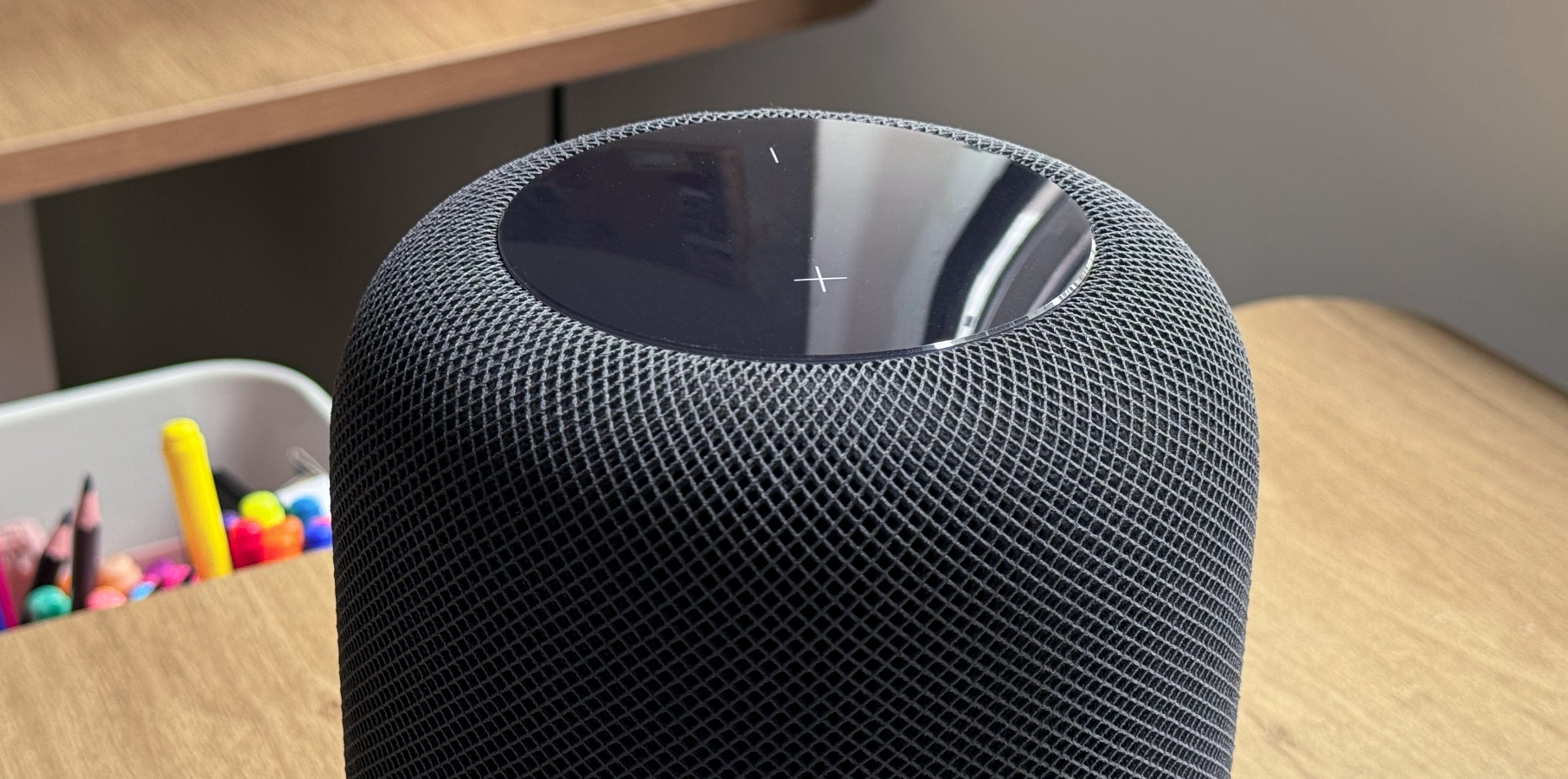
After announcing a new color for HomePod mini, Apple has finally released the first public beta of HomePod Software 18. Unlike the other operating system updates, the developer's beta of HomePod is only available for a small group. However, the company always releases a public beta for HomePod and HomePod mini owners. This time, we already know two features available with the system, although they also need an Apple TV running tvOS 18 or an iPhone and iPad running iOS 18 and iPadOS 18, respectively. Enhance Dialogue gets smarter: It leverages machine learning and computational audio to deliver greater vocal clarity over music, action, and background noise on Apple TV 4K. AirPlay adds Spatial Audio: Users can get an immersive audio experience, including support for Dolby Atmos, when using AirPlay to stream audio from iPhone and iPad to HomePod and compatible third-party audio equipment. Currently, you won't get Spatial Audio when you use AirPlay from iPhone to HomePod. This software update has finally fixed this annoying handoff, so you'll always get Spatial Audio songs when available. Apple HomePod 2023 Siri. Image source: Christian de Looper for BGR Besides that, we don't know what else is new with HomePod Software 18 public beta. With the HomePod Software 17 cycle, Apple added the following features: Enhance Dialogue: It lets Apple TV users hear more clearly what is being said over the effects, action, and music in a movie or TV show on Apple TV 4K paired with two HomePods by separating the dialogue from the background noise and bringing it forward to the center channel. Siri support for AirPlay: It allows you to start an AirPlay session from your iPhone or iPad directly on your HomePod using just your voice so that you can play an even wider range of third-party music services on your HomePod. New call controls: It enable you to mute or unmute a call on HomePod. Music Settings Change: This update enables Siri to learn your preferred media service, so you no longer need to include the name of the media app in your request. In addition to HomePod Software 18, Apple has also released the public beta versions of iOS 18, iPadOS 18, watchOS 11, macOS Sequoia, and tvOS 18. Don't Miss: tvOS 18: Release date, features, download, Apple TV compatibility, more The post HomePod Software 18 public beta 1 now available with these two features appeared first on BGR. Today's Top Deals Best Apple deals for July 2024 Today’s deals: $100 eufy smart lock, Nintendo Switch game sale, 20% off Dreo ChefMaker, $4 smart plugs, more Today’s deals: $19 myQ smart garage controller, $799 75-inch smart TV, $90 Ninja Air Fryer Pro, more Today’s deals: Galaxy Z Flip 6 & Fold 6 offers, $30 Blink Video Doorbell, $25 Amazon Echo Buds, more
Like
Comment
Share
Showing 20392 out of 56670
  • 20388
  • 20389
  • 20390
  • 20391
  • 20392
  • 20393
  • 20394
  • 20395
  • 20396
  • 20397
  • 20398
  • 20399
  • 20400
  • 20401
  • 20402
  • 20403
  • 20404
  • 20405
  • 20406
  • 20407

Edit Offer

Add tier


Select an image
Delete your tier
Are you sure you want to delete this tier?

Reviews

In order to sell your content and posts, start by creating a few packages. Monetization

Pay By Wallet

Payment Alert

You are about to purchase the items, do you want to proceed?

Request a Refund